Better PDF 1.0: a calm PDF app for people who sign things
In short: Better PDF 1.0 is a native PDF app for Mac, iPhone and iPad by Evenpine that reads, fills, signs, organises and scans PDFs on the device, with no account and nothing uploaded. The Mac app is free for reading, filling and certificate signing; Pro is one payment from $9.99 and covers one Mac, one iPhone and one iPad.

Why we built it
A lot of the PDFs that matter arrive with a line at the bottom that says “Signature”. A lease, an employment contract, a membership form, an invoice that needs approving. For many people, and for many offices, a picture of a signature is not enough: the document has to be signed with a certificate, often one that lives on a USB token.
We kept running into the same afternoon. Open the file, find that the form has no fields, print it, sign it, scan it back in, then hunt for a way to apply the certificate signature on top. Every step was in a different place, and most of the places wanted an account or an upload before they would help.
So we built Better PDF, a native PDF app for people who sign documents. It reads, fills, signs, organises and scans, and it does all of that on your device. There is no account to make, nothing is uploaded, and there is no telemetry. Today it reaches 1.0.
We are Evenpine, a small software studio in the Himalayas. We make calm, considered software, and this is the first thing we have shipped under the Better PDF name.
What 1.0 does
Better PDF is organised into modes, and each one has a single key. Press the key, the chrome changes, and nothing else on the page moves.
Fill & Sign
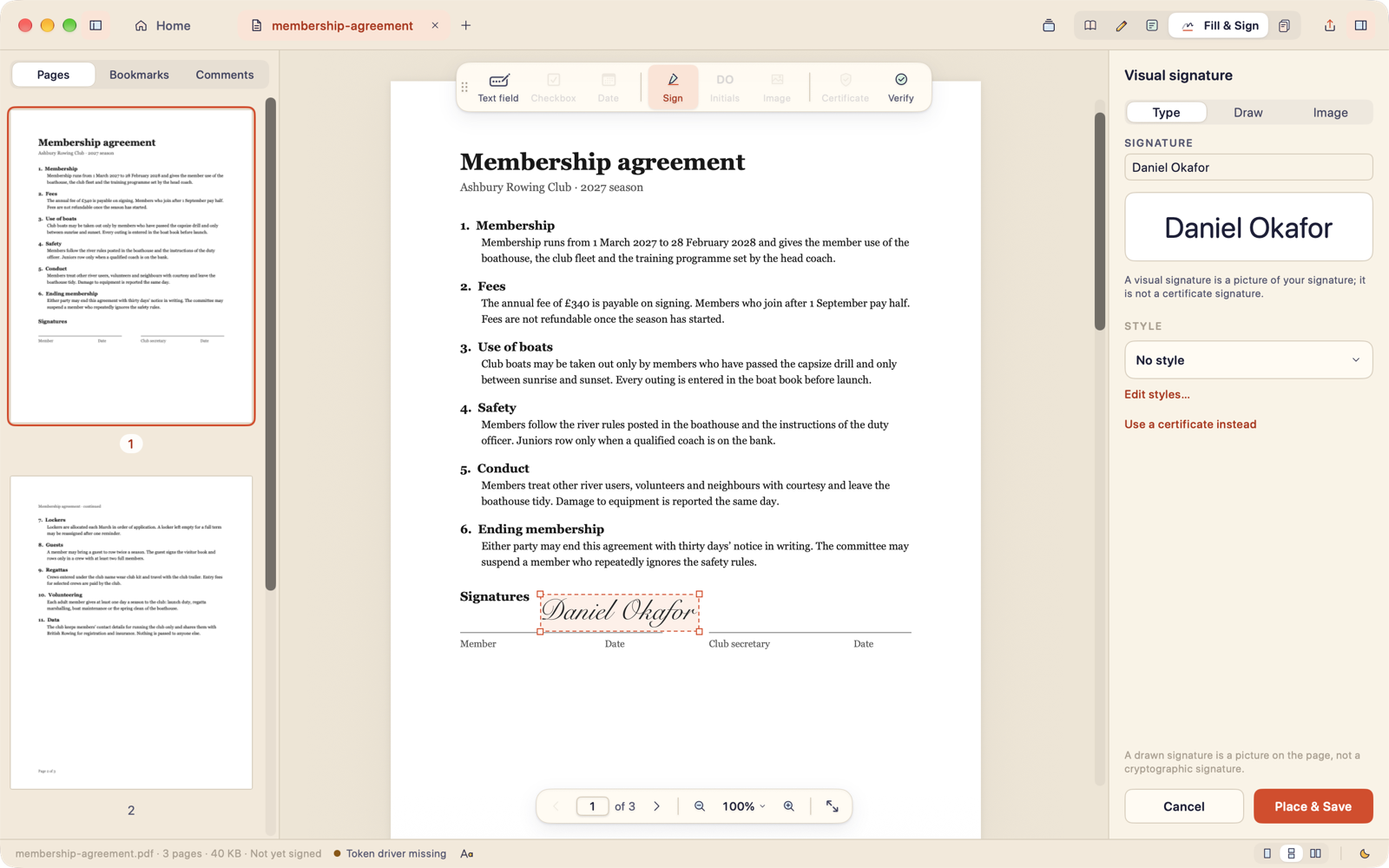 Drag a box where the signature goes, then draw it, type it or use an image.
Real form fields fill themselves. When a form is a flat scan with no fields at all, click where the answer goes and type: nothing is drawn over the printed text. To sign, drag a box where the signature goes, then draw or type your name, or use an image.
On the Mac you can also sign with a certificate: from the keychain, a smart card or a USB token, including tokens such as the Watchdata ProxKey that need their own PKCS#11 driver. Better PDF writes a PAdES signature and saves it as an incremental update, so the original stays intact. An RFC 3161 timestamp is optional and off until you turn it on. Signing, including certificate signing, is free.
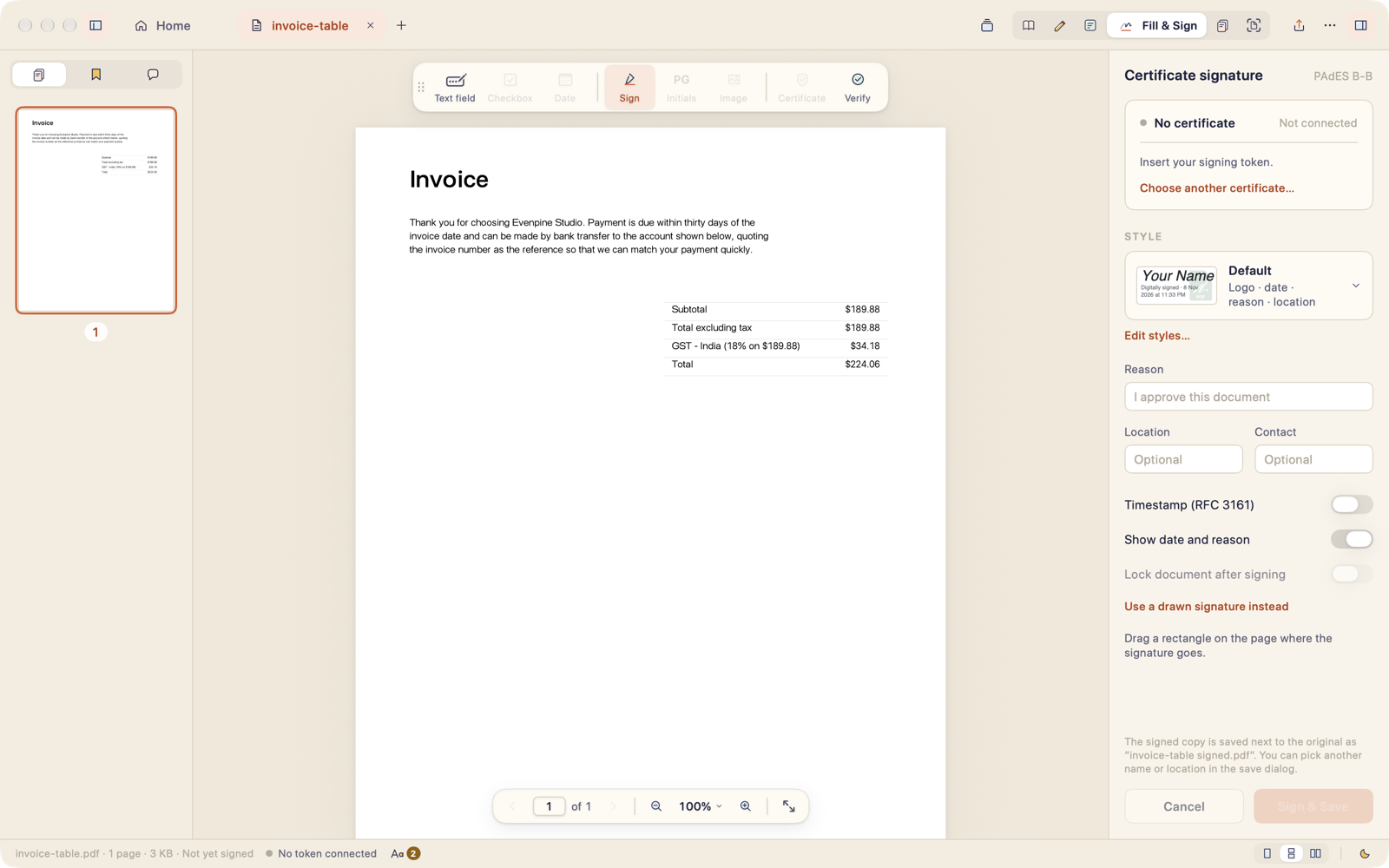 Certificate signing on the Mac: PAdES, an optional timestamp, and a signature style for how it looks.
Signature styles decide how a signature looks on the page: your logo, your name, the date and a reason, in a layout that shows the same in every viewer. Styles are part of Pro. They change appearance only; the signature underneath is the same.
Read, with Night and E-ink
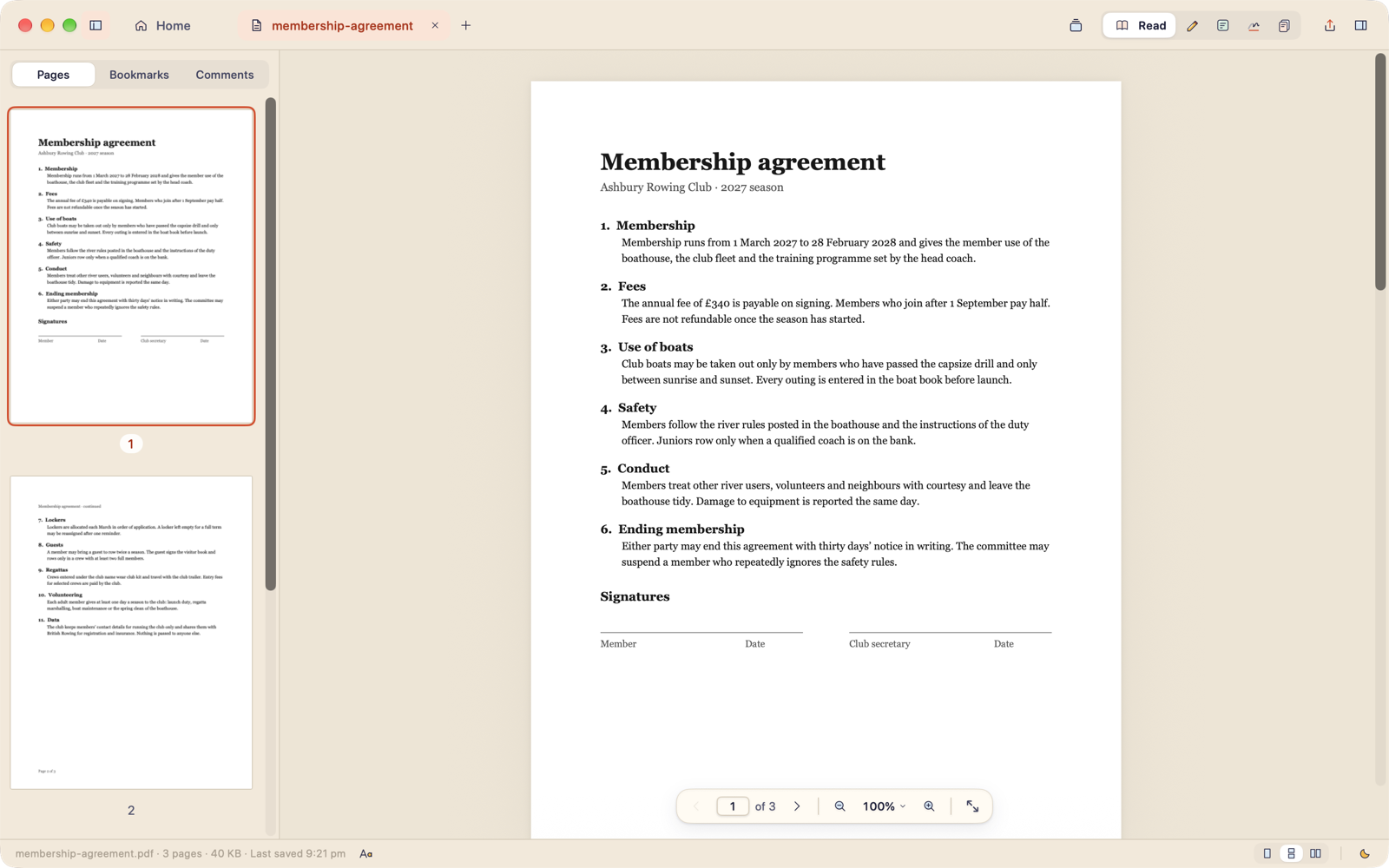 The reader: tabs, thumbnails, bookmarks and comments, with the page at the centre.
Most of the time a PDF is something you read, so the reader comes first. There are tabs, bookmarks and a search that finds every match. There are four appearances: light, dark, Night for reading late without glare, and E-ink.
E-ink is built for e-ink monitors and tablets used as a second screen. Pages are pure black on white, with no shadows and no animation, and they turn whole with the arrow keys. Greys are quantised in four levels so halftones do not shimmer, and highlights show as a grey band. Better PDF remembers the appearance per display, so the e-ink screen stays in E-ink and your main display stays as it was.
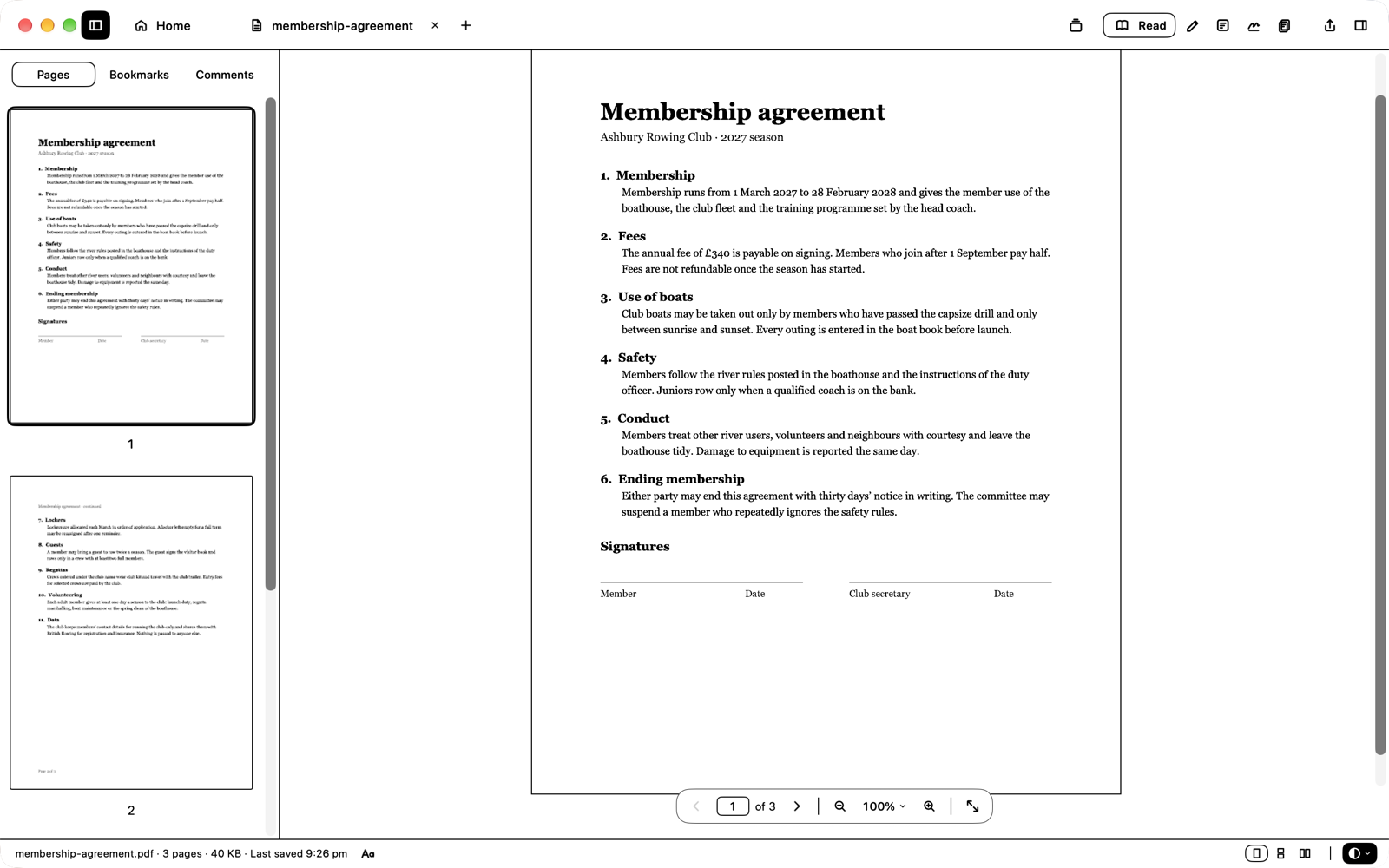 E-ink reading keeps your theme and changes only the page.
Pages
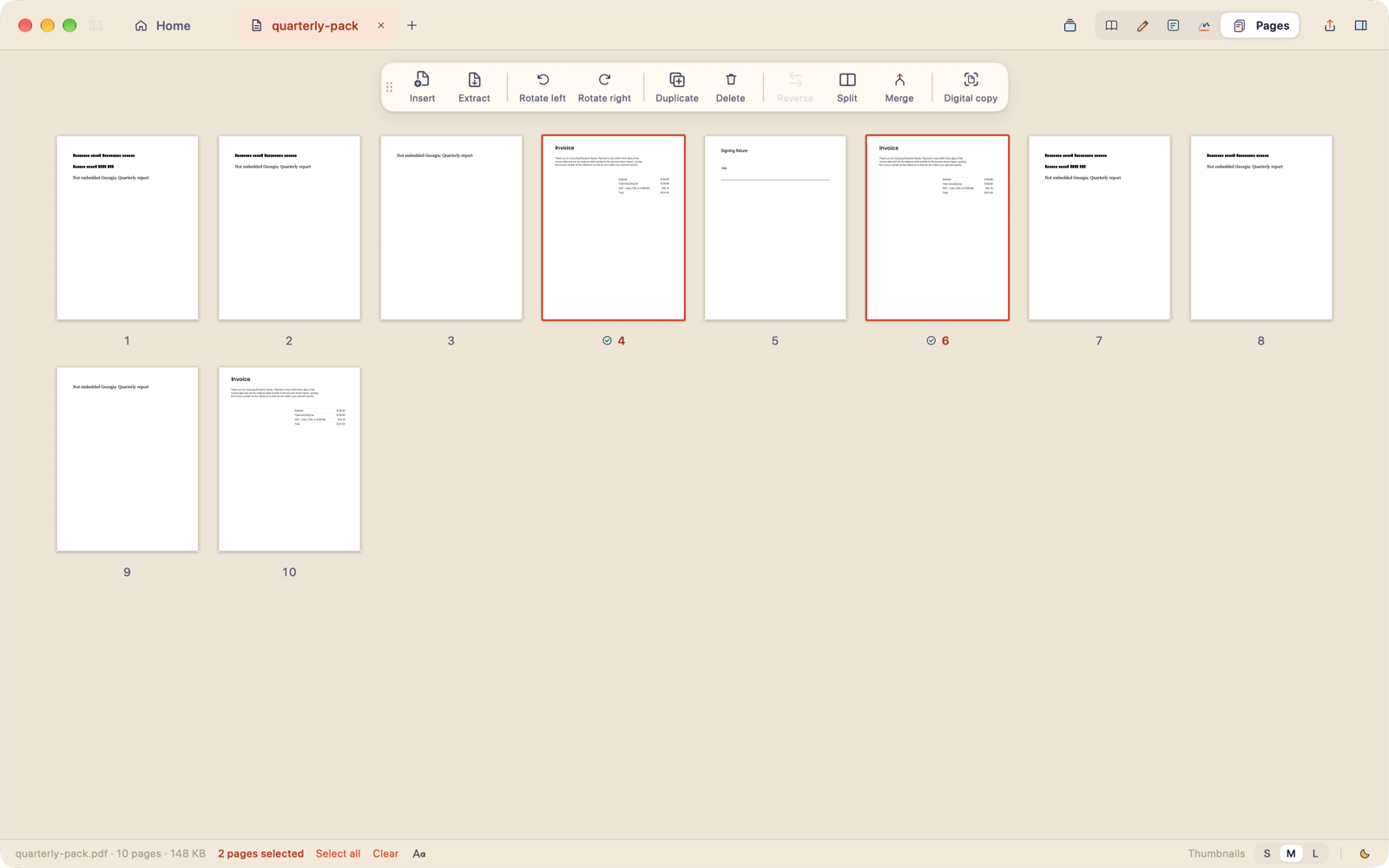 Every page of a document in one grid, ready to reorder.
Pages puts every page of a document in one grid. Drag to reorder, rotate or delete, or pull in pages from another file. Merging and splitting are part of Pro.
Scan
On the Mac, Scan turns photos of paper, taken with your iPhone or dropped in from anywhere, into one searchable PDF. It finds the edges, squares the page, cleans the shadows and recognises the text on your Mac. If you open a PDF that is already a scan, Better PDF offers to recognise it, and the original file is never modified.
On iPhone and iPad, Scan is the heart of the app. Point the camera at a page and Better PDF finds the edges and squares it. Clean it with Document, Grayscale, Ink or Colour boost, and the text is recognised on the device. Then send the PDF to your Mac, to your files, or anywhere else with Share.
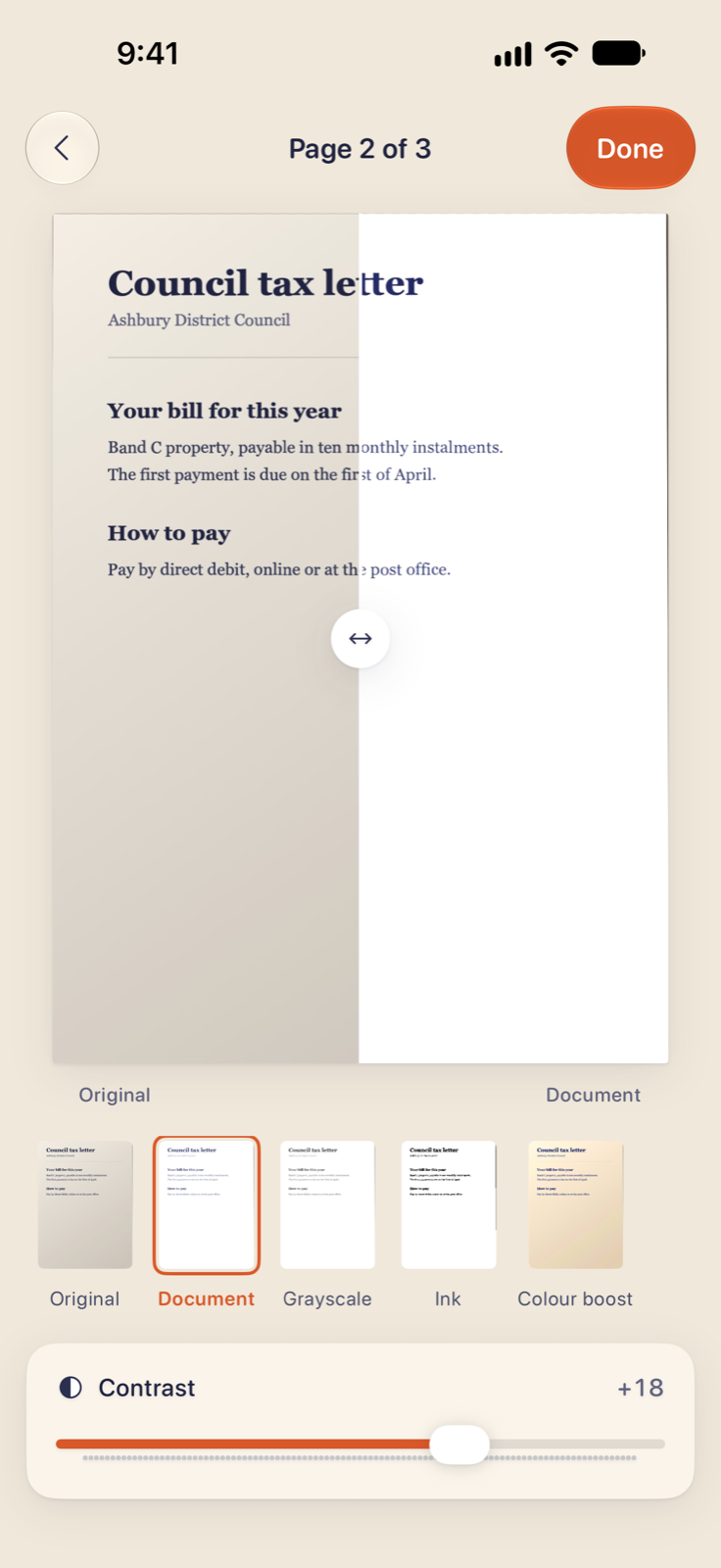 Scan on iPhone: drag the divider to compare the original with the cleaned page.
The iPhone and iPad app reads, annotates, fills and signs the same files as the Mac. Draw with Apple Pencil or a finger, and import a photo of your signature: Better PDF removes the paper and keeps the ink. Certificate signing stays on the Mac.
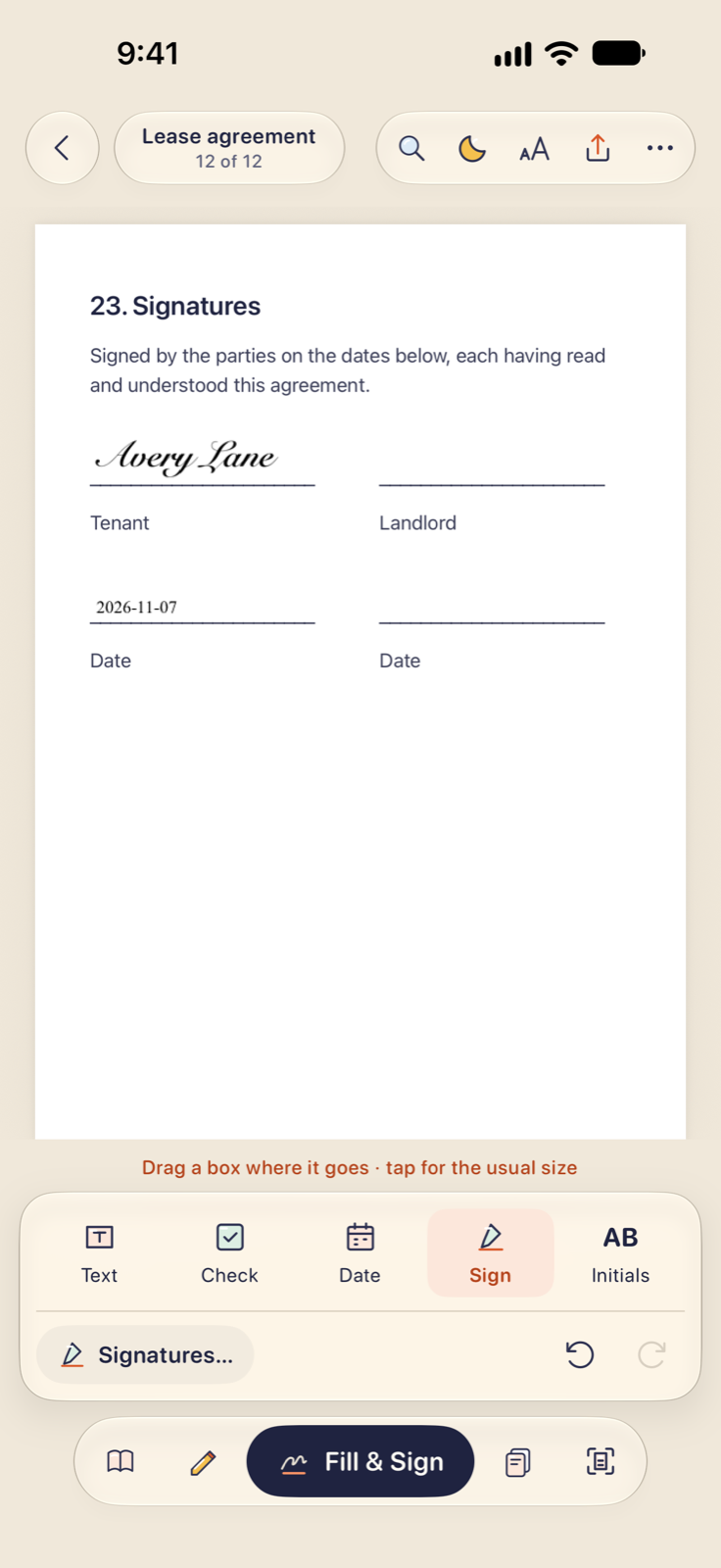 Fill & Sign on iPhone, with the signature and the date on the last page of a lease.
Nothing leaves your device
Your documents never leave your device on their own. There is no account, no analytics and no crash upload. The direct download of the Mac app checks betterpdf.co once a day for updates and sends no system profile; you can turn that off in Settings › General. Timestamps, if you turn them on, send only a hash. If something goes wrong, Help › Diagnostics… writes a zip of the log, crash reports and token status that you can read before you decide to send it to us.
Free, and what Pro adds
The Mac app is free to download, and reading, filling and signing stay free for good. That includes certificate and USB token signing, annotations, page reordering, scanning in colour and greyscale, recognising text, and converting to images, text, Markdown and CSV.
Pro is a single payment, not a subscription. It adds editing text and images in place, signature styles, redaction that removes the content rather than covering it, password protection, PDF to Word, merging and splitting, and the extra scan filters and longer scans. Every new copy starts with seven days of full Pro, so you can try all of it before deciding.
We are pricing Pro as a founder ladder:
- $9.99 for the first 100 buyers
- $19.99 up to 500
- $29.99 after that
One licence covers one Mac, one iPhone and one iPad. On the Mac it is a licence key you can deactivate at any time and move to another Mac.
Better PDF for iPhone and iPad is free, with nothing to buy in its first version: every scan filter, OCR on the device, and scans up to 100 pages. A later version will add iOS Pro for new on-device features, and Mac Pro will include it.
What is not there yet
1.0 is a beginning, and we would rather be clear about the gaps than have you find them.
- Checkboxes and dates on flat, scanned forms are coming. Typing on them works today.
- Versions and compare, shapes and stamps, compress presets, batch processing, and converting to and from presentation and spreadsheet files are not in 1.0.
- Certificate signing, editing, redaction and signature styles are on the Mac only. The iPhone and iPad app signs with a drawn, typed or photographed signature.
- Signatures you save on iPhone and iPad stay on that device; there is no sync between devices yet.
- The iPhone and iPad app is on its way to the App Store and is not out on the same day as the Mac app.
If one of these is the thing standing between you and Better PDF, tell us. It helps us decide what comes next.
Try it
Better PDF needs a Mac on system version 26 or later, with Apple silicon or Intel. The download is about 26 MB.
- Website: https://betterpdf.co
- Download for Mac: https://betterpdf.co/download/
- Questions, licences, more devices, or anything else: [email protected]
Thank you for reading, and for trying something made carefully by a small team.
Evenpine